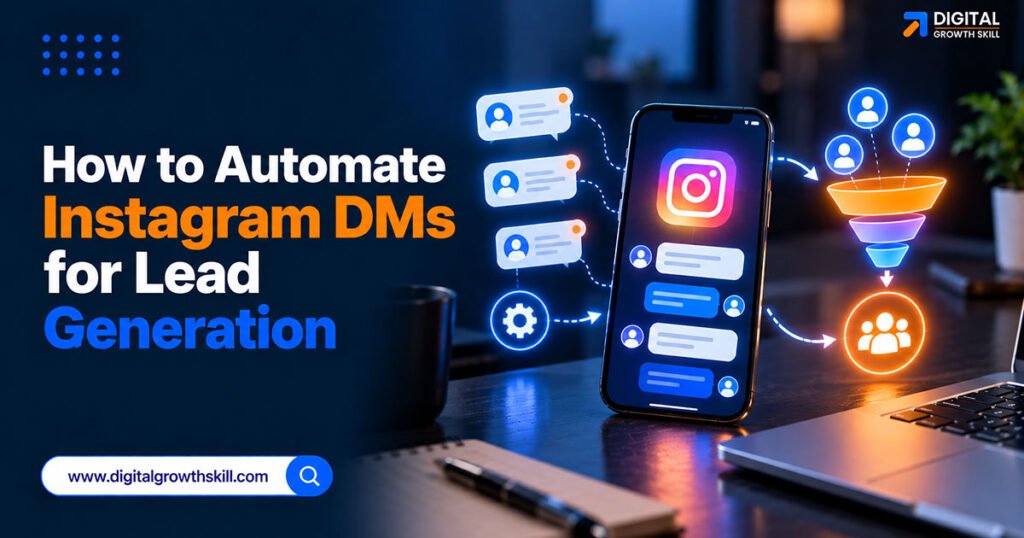
How to automate Instagram DMs for lead generation starts with understanding a distinction most guides skip: automation is only allowed on interactions a user actually initiated, and getting this wrong is what gets accounts restricted, not the automation itself. This guide covers what’s compliant, how to set up comment-to-DM lead capture correctly, and how to spot a tool that puts your account at risk. It pairs well with how to generate leads on WhatsApp for small business as a related platform-specific lead-generation guide.
Quick Answer: Instagram DM automation is allowed through Meta’s official Instagram Messaging API for user-initiated interactions — comment-to-DM triggers, story-reply automation, and keyword-based DM replies within a 24-hour messaging window. Mass unsolicited DMs, follow/unfollow bots, and non-API tools that ask for your login credentials directly are prohibited and risk account restriction.
Key Takeaways
- Only user-initiated actions — a comment, a story mention, an inbound DM — can trigger automated replies; cold outreach to non-engaged users cannot.
- Meta tightened enforcement in 2026, and accounts using previously tolerated automation patterns have been restricted, so “the tool is API-based” isn’t a permanent guarantee of safety.
- A tool that asks for your Instagram login credentials directly, instead of Meta’s official authorization flow, is a clear compliance red flag.
- Any email address collected through a DM conversation is personal data under India’s DPDP Act, so the same consent basics that apply to email and WhatsApp apply here too.

What Does Instagram DM Automation Actually Mean?
Instagram DM automation is software that sends a private message automatically in response to a specific action someone takes — a comment, a story reply, or a direct message — rather than a person typing each reply. It runs through Meta’s Instagram Messaging API, accessed by approved partners like ManyChat, rather than through the app directly.
For lead generation specifically, the most common pattern is comment-to-DM: a post or Reel invites viewers to comment a keyword, and everyone who does receives an automatic DM with a lead magnet or next step.
What Does Meta Allow and What Does It Prohibit?
The dividing line is whether the user initiated the interaction — automation on a user-initiated action is allowed; automation targeting people who never engaged is not.
| Automation Type | Allowed? | Trigger |
|---|---|---|
| Comment-to-DM on a post/Reel | Yes | User comments a keyword |
| Story-reply auto-DM | Yes | User replies to your story |
| Keyword reply to inbound DMs | Yes | User messages you first |
| Cold DMs to non-followers | No | No user action |
| Follow/unfollow automation | No | No user action |
| Credential-based scraping tools | No | Bypasses Meta’s API entirely |
How Do You Set Up Comment-to-DM for Lead Capture?
Start with an Instagram professional account connected to a Facebook Page — this is required before any third-party automation tool can connect through Meta’s API. Choose an approved automation platform, connect it through Meta’s official authorization screen, and set a specific comment keyword tied to one post or Reel. This works well as a top-of-funnel entry point into a broader system — see our marketing automation tools for small business owners in India comparison for where it fits alongside CRM and email automation.
Keep the keyword specific to that single piece of content rather than a generic word people might type accidentally, since an accidental trigger sends an automated message to someone who wasn’t actually asking for anything.
How Do You Check Whether a Tool Is Actually Compliant?
The clearest compliance signal is how the tool connects to your account. A tool that redirects you through Meta’s own login and permission screen, and appears in Meta’s Business Partner Directory, is using the approved API. A tool that asks you to type your Instagram username and password directly into its own site is not, and risks your account being flagged or suspended.
This distinction matters more than any specific feature comparison between platforms.
What Is the 24-Hour Messaging Window?
Once someone triggers a qualifying interaction, you generally have a 24-hour window to send automated follow-up messages, including promotional content, before that window closes. After it closes, further automated messages typically require the person to re-engage first.
Plan your comment-to-DM sequence with this in mind — the useful information and any call to action should land within that window, not spread across days of assumed ongoing automation.
What About Collecting Emails Inside DMs?
If your DM flow asks someone to share an email address in exchange for a lead magnet, that’s personal data collection under India’s DPDP Act, the same as any email opt-in form built without running ads. Only collect what the person actively and knowingly provides, state clearly what you’ll use it for, and don’t pre-fill or assume consent from the comment alone — the comment triggers the DM, but sharing an email is a separate, deliberate action.
Why Do Accounts Get Restricted Anyway?
Meta tightened enforcement through 2026, and some accounts using API-based tools they’d relied on without issue for months were suddenly restricted. Being on an approved API reduces risk significantly but doesn’t make every use case automatically safe — overly broad keyword triggers, sending too many messages too quickly after a spike in engagement, or content that reads as spammy regardless of the delivery method can still trigger a review.
Building slowly and monitoring account health after any new campaign is worth more than assuming compliance is permanent.

Frequently Asked Questions
Q1. Is Instagram DM automation legal and allowed by Meta?
Yes, when it runs through Meta’s official Instagram Messaging API and only responds to interactions the user actually initiated. Cold, unsolicited automated DMs and credential-based tools that bypass the API are not allowed.
Q2. What’s the biggest risk with Instagram DM automation tools?
Using a tool that asks for your Instagram login credentials directly instead of Meta’s official authorization process. This bypasses the approved API and puts the account at real risk of restriction.
Q3. Can I collect email addresses through Instagram DM automation?
Yes, and many lead-generation flows do this well — but treat it as personal data collection under India’s DPDP Act, requiring the person’s active, informed consent rather than assuming it from their comment alone.
Q4. How long does the automated messaging window last on Instagram?
Generally 24 hours from the qualifying interaction, after which further automated messages typically require the person to engage again first.
Q5. Does a Meta-approved automation tool guarantee my account won’t be restricted?
No. It significantly reduces risk compared to unofficial tools, but Meta’s enforcement has tightened, and spammy patterns or overly broad triggers can still lead to a review even on approved platforms.
Conclusion
Automating Instagram DMs for lead generation works well when it’s built strictly around interactions the user actually started — a comment, a story reply, an inbound message — delivered through an approved API tool rather than one that asks for your login credentials. Layer in proper consent for any email you collect and stay alert to how Meta’s enforcement continues to evolve, and comment-to-DM automation remains one of the more effective, low-cost lead capture methods available on the platform today. It works especially well for audiences similar to those reached through email marketing for coaches and course creators in India, where a single Reel can feed both channels at once.