Simple CRM options for small business owners in India now range from a free spreadsheet habit to a few-hundred-rupees-a-month tool, and the hardest part is knowing when you actually need one. This guide explains what a CRM does in plain terms, how far free options will take you, what the simple paid step-ups look like, and how to choose without a technical team.
Quick Answer: Most small Indian businesses can start with WhatsApp Business labels and a Google Sheet updated daily. When follow-ups start slipping or more than one person handles customers, try a free plan such as Zoho CRM (up to 3 users), Zoho Bigin, or HubSpot’s free CRM before paying. Pricing and free limits change often and sources disagree, so confirm current plans on each provider’s page.
Key Takeaways
- A CRM is just a shared record of who your customers are, what they want, and what happens next — it doesn’t need to be complicated.
- Free plans are genuinely usable, but they differ in users, records, and features, and WhatsApp integration is usually reserved for paid plans.
- Many comparison articles in this category are published by CRM vendors, so check claims against each tool’s own pricing page.
- Pay per user only for people who will actually log in, and watch for flat-price plans once your team grows.
- A CRM holds personal data, so the same consent and security basics apply as for email lists and websites.

What a CRM Actually Does
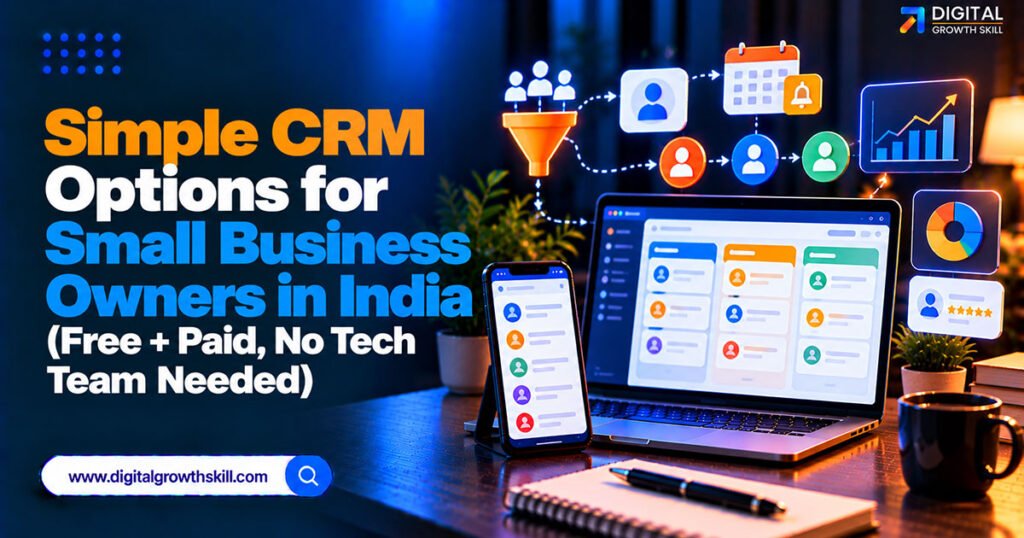
A CRM (customer relationship management tool) keeps every lead and customer in one place, shows where each one is in your sales process, and reminds you who to follow up with. For a small business, that usually means a list of contacts, a simple pipeline of stages like “enquiry, quote sent, won, lost,” and notes on each conversation.
It’s different from marketing automation, which sends campaigns at scale. If that’s what you need, our guide to marketing automation tools for small business owners covers it, while this article focuses on tracking relationships and follow-ups.
Do You Need a CRM Yet?
For many small businesses, WhatsApp Business labels plus a Google Sheet updated every evening works as a free first CRM. Label chats as “new,” “quoted,” or “follow up,” and log them in a sheet with name, number, status, and next action.
You’re probably ready for a real CRM when follow-ups slip through the cracks, you can’t remember which quote went to whom, or two or more people reply to customers and need a shared view. Until then, extra software can just add admin.
Free CRM Options Compared
Several well-known CRMs have free plans, but the limits differ and have changed over time, so treat this as a starting snapshot.
| Option | Free Plan | Best For | Watch Out For |
|---|---|---|---|
| WhatsApp Business + Google Sheet | Fully free | Owner replying personally | No reminders, pipeline, or reports |
| Zoho Bigin | 1 user, limited records | Solo founders, simplest pipeline | WhatsApp and some features need paid plans |
| Zoho CRM free edition | Up to 3 users | Small teams wanting more depth | More menus than tiny businesses need |
| HubSpot free CRM | Free core CRM | Marketing-led teams, clean interface | User and contact limits are reported differently, so confirm |
| Kylas free plan | Reported unlimited users, limited records | Teams wanting room to grow | Confirm current limits; paid plan is flat-priced |
Freshsales, from Freshworks, also gets mentioned as having a free tier, but I couldn’t confirm its limits, so check Freshworks’ own page.
The Simple Paid Step-Ups
When free limits start to bite, the common step-ups are Zoho Bigin’s paid plans and Zoho CRM’s Standard tier, with HubSpot’s paid plans costing noticeably more per seat. Sources quote Bigin from roughly ₹400 to ₹550 per user per month and Zoho CRM from about ₹800, though other sources report different figures, and prices are often quoted excluding GST.
Kylas, built in Pune, prices differently: a flat monthly fee for unlimited users, reported at around ₹13,000 a month. That mainly suits teams of ten or more, since per-user pricing is cheaper for a handful of people. Always confirm current pricing before you commit.
WhatsApp Inside a CRM: What to Know
Many Indian customers prefer WhatsApp, but connecting it to a CRM typically needs a paid plan and the WhatsApp Business API. Sources indicate that Zoho CRM, Bigin, and HubSpot generally keep WhatsApp integration for paid plans, and that Meta charges for certain business-initiated messages on top.
A few CRMs are built around WhatsApp as the core inbox, but most comparisons of those come from the vendors themselves. If WhatsApp is how you sell, our guides to generating leads on WhatsApp and AI tools for WhatsApp Business marketing explain the options in more depth.
How to Choose Without a Tech Team
Pick the simplest tool that handles your actual process, not the one with the most features.
- Solo or two-person business: Start with the WhatsApp-and-Sheet method, then Zoho Bigin or a free plan.
- Three to five people: Zoho CRM’s free edition or a paid Bigin plan.
- Marketing-led business: HubSpot’s free CRM, upgrading later if needed.
- Ten or more users: Compare per-user pricing against a flat-price option like Kylas.
Whichever you choose, define three to five pipeline stages, import your existing contacts, and give one person ownership of keeping it updated. A CRM nobody maintains is worse than a spreadsheet.
Common Mistakes
The most common mistake is buying a powerful CRM and then using only the contact list. Paying for seats that never log in, adding dozens of custom fields nobody fills in, and skipping the habit of updating records after each conversation are close behind.
Because a CRM stores customer names, numbers, and notes, treat it as personal data under India’s DPDP Act: collect only what you need, keep access limited, and honour opt-outs, as covered in our guide to building an email list without ads.

Frequently Asked Questions
Q1. Do I really need a CRM for a small business?
Not always. Many small businesses manage with WhatsApp labels and a spreadsheet at first, and move to a CRM when follow-ups slip or several people share customers.
Q2. What is the best free CRM in India?
It depends on your team. Zoho CRM’s free edition (up to 3 users), Zoho Bigin (1 user), and HubSpot’s free CRM are the most commonly mentioned, but limits vary, so check each provider’s current plan.
Q3. Does a free CRM include WhatsApp integration?
Usually not. Most sources say WhatsApp integration is limited to paid plans and may involve the WhatsApp Business API plus message charges from Meta.
Q4. How much does a simple CRM cost in India?
Entry paid plans are commonly quoted from a few hundred rupees per user per month, with higher tiers costing more. Prices vary by source and are often quoted before GST.
Q5. How long does it take to set up a CRM?
A simple one can be running within days: define a few pipeline stages, import contacts, and start logging follow-ups. Heavier customisation takes longer.
Conclusion
The best simple CRM options for small business owners in India start small: a WhatsApp-and-spreadsheet habit, then a free or low-cost plan like Zoho Bigin, Zoho CRM, or HubSpot once follow-ups need a proper system. Choose by team size and process rather than feature lists, verify current pricing yourself, and make sure someone owns keeping the data up to date.